 ) associated to the
Carrier field).
) associated to the
Carrier field).
The Carrier Find allows a user to quickly locate and set
a carrier field by Name within the Shipping Information tab (available through
the find icon () associated to the
Carrier field).
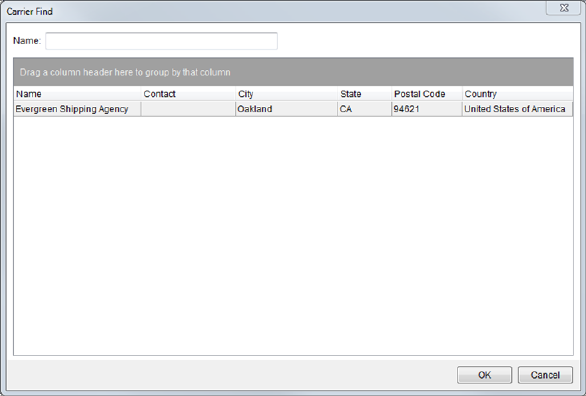
Figure 23: Carrier Find
Described in the table below are the columns of data available within the Carrier Find.
|
Field |
Description |
|
Name |
Carrier name |
|
Contact |
Name of the assigned contact person |
|
City |
City location of the carrier |
|
State |
State location of the carrier |
|
Postal Code |
Zip code for the address of the carrier |
|
Country |
Name of the country that the carrier resides in |
Use Carrier Setup (International Orders) to define these records.
Refer to Advanced Finds for usage information.