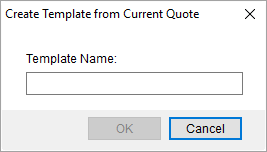
The Create Template from Current Quote dialog appears when you choose the Template from Current option with the Create menu of the Quote tab.
Figure 27: Create Template from Current Quote dialog
The following fields and functions are available within this dialog.
|
Field/Functions |
Description |
|
Template Name |
Provide the name of the new template (up to 64 characters). You can utilize the template to create a new quote through the Quote from Template option within the Create menu of the Quote tab. Manage templates through the Quote Template Setup. |
|
|
OK Press OK to add a new template under the provided Template Name to your system. |
|
|
Cancel Close this dialog without creating a new template. |

