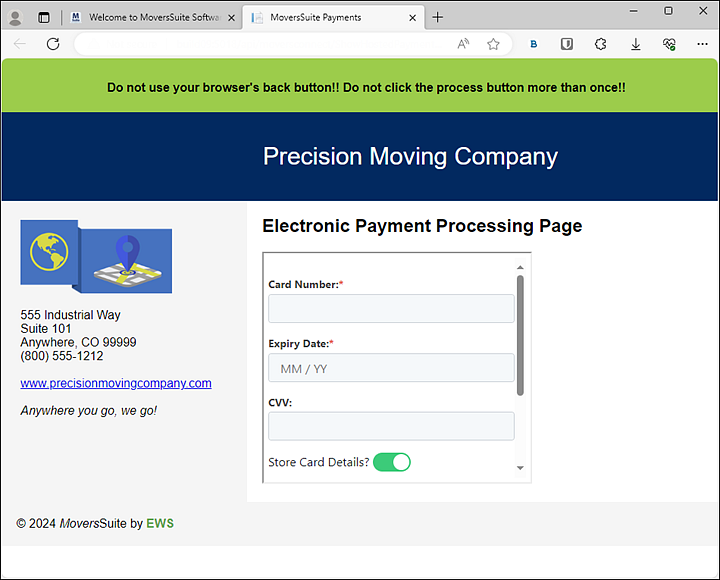
The Electronic Payment Processing Page is a hosted payment page that prompts for credit card information (card number, expiration date, CVV code, Card Holder Name and possibly the address) and charges that card at the same time: This is unlike Electronic Capture Processing Page, which only processes an authorization.
The Electronic Payment Processing Page is a secure hosted webpage that appears when the Render A Web Page Around Hosted Page is checked on this electronic service's Electronic Merchant Setup record.
Figure 16: Electronic Payment Processing Page

Figure 17: Render A Web Page Around Hosted Page is checked on this electronic service's Electronic Merchant Setup record.
To get to the Electronic Payment Processing Page:
1. Click Credit Card/Bank Payment or Authorization on the Electronic Payments Menu.
2. After entering the information for a payment, click Payment (still on the Credit Card/Bank Payment or Authorization) screen.
Two things happen when the Payment button is clicked:
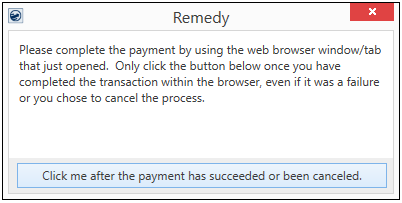
1. A screen appears which is generated by MoversSuite. Note the information on the screen so do not click until, as the screen states, “the payment has succeeded or been canceled.”
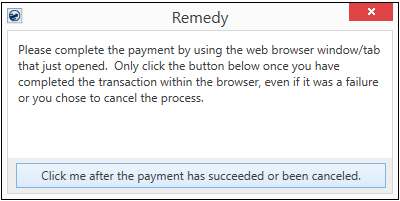
2. The Electronic Payment Processing Page is also prompted when clicking Payment on the Credit Card/Bank Payment or Authorization screen. Enter the credit card number, Expiration Date and the CVV. If you wish to store the credit card information for future use, turn on Store Card Details, if available.
The process will either be successful or not successful:
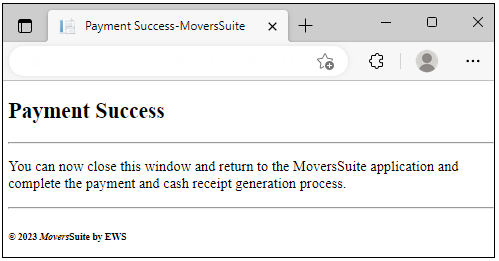
•If the payment processing is successful, you will receive the Payment Success message. Following the instructions, exit out of that tab.
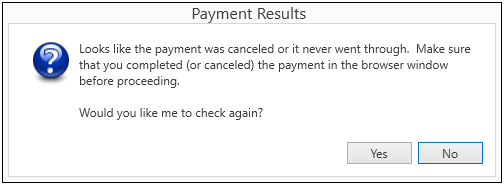
•If not successful, the Payment Results screen appears and click either Yes or No. Yes means the transaction will be attempted again. No means the transaction will not be attempted again. If the transaction is successful, the Payment Success screen appears. If not, this Payment Results screen reappears.
Lastly, return to this screen within MoversSuite and click Click me after the payment has succeeded or been cancelled. This exits the payment process for that transaction.
At this point:
•Either the Electronic Payment Success or the Electronic Payment Failure screen appears.
•If successful, a Cash Receipts is generated within MoversSuite.