

Watch the Overview Video for this release
This section lists the features added to MoversSuite.
|
|
Watch the Overview Video for this release |
Payment Management Payment Aware
When applying payments within Payment Management, you can now view payments made from other payments, even if the payment is from a different batch, receipt, or order. These payments now show in a new data column titled Other Apply that is visible from within the grid when applying payments through the Payment Application screen.
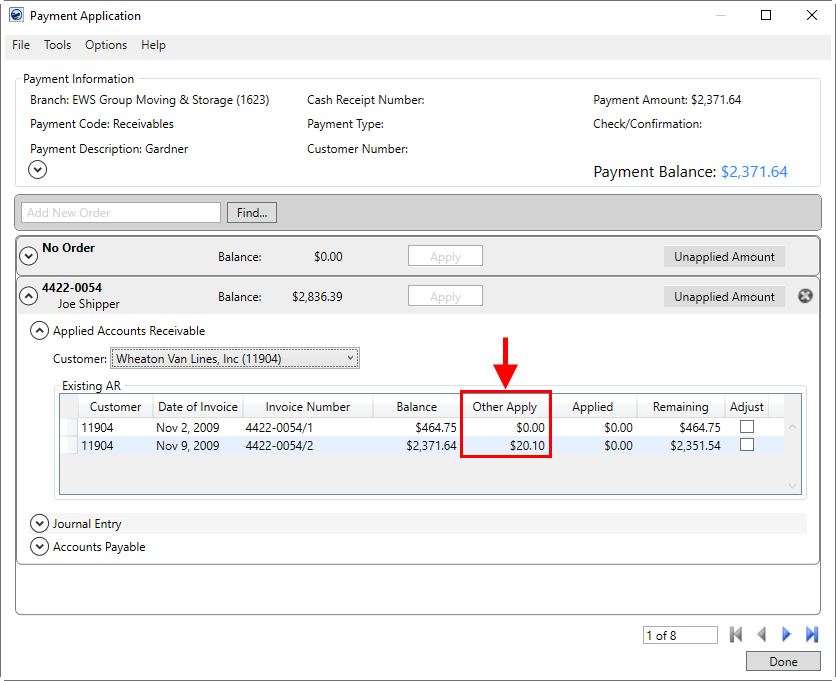
Figure 1: Payment Application screen
This is designed to help you recognize payments that could potentially be made on the same order and document and that can cause errors when importing and posting through Microsoft Dynamics GP.
When applying a payment by a service, you can find the Other Apply information from the Apply By Service dialog as well.
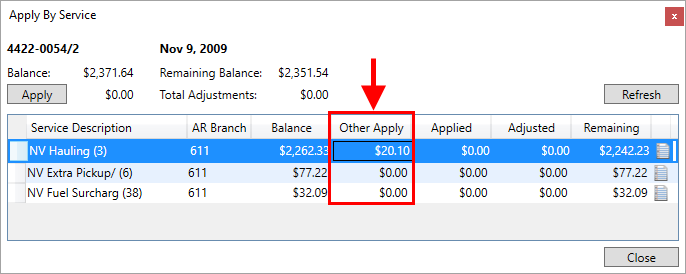
Figure 2: Apply By Service dialog
If you wish to see where the Other Apply amounts originate, you can do so through a new Other Applied Payments dialog.
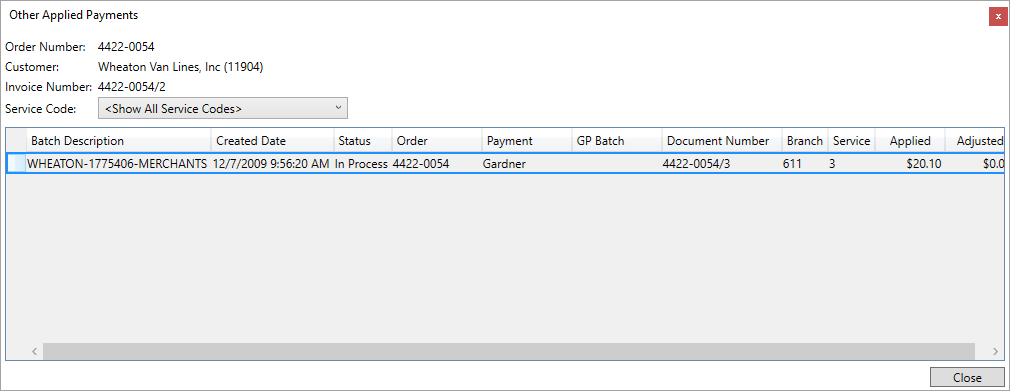
Figure 3: Other Applied Payment dialog
This dialog is available by right-clicking on the amount you wish to view data for and choosing Show Other Apply Payments Window.
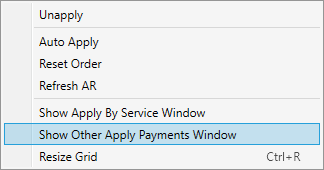
Figure 4: Right-click options within Payment Application
This option is available through the right-click menu from Existing AR grid within the main Payment Application window as well as from the Apply By Service dialog.
This feature is available for items that are manually applied as well as those auto-applied through a van line import.
Refer to the Other Applied Payments and Payment Management topics for more details.
|
SUMMARY (5745, 6209) |
|
Payment Management Payment Aware feature now available. |
|
The following areas have been affected by this change: Schema Changes Version 2021R07
|