

Watch the Overview Video for this release
This section lists the enhancements made to MoversSuite.
|
|
Watch the Overview Video for this release |
Multiple fields in the Branch Setup have been updated to become locked for changes. This lockdown is to prevent a variety of issues arising when posting transaction through Microsoft Dynamics GP.
These fields being locked down include:
•Branch ID
•Branch GL Code
•Company GL Code
•GL Control
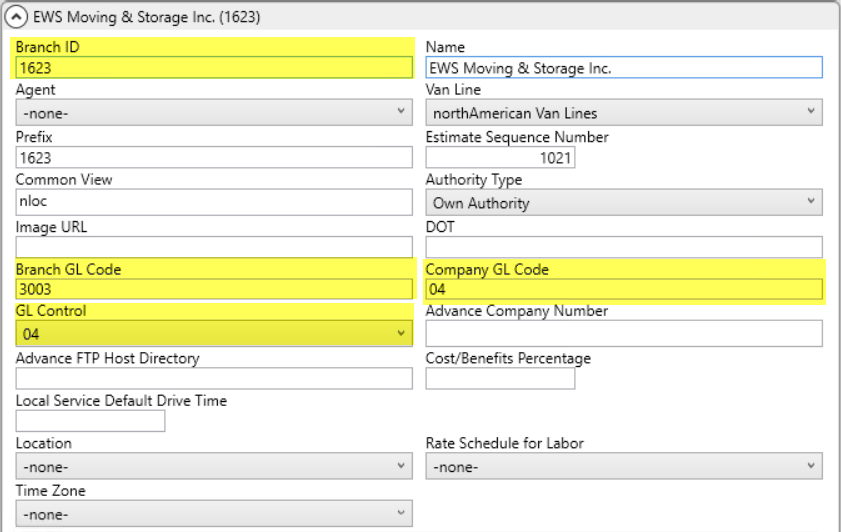
Figure 2: Branch Setup
|
Adding a new branch can be quite involved and can cause accounting and reporting errors if not done properly. EWS Group strongly recommends opening a support case through our Help Desk Login portal anytime you wish to create a new branch and our Professional Services team will guide you through the process. |
Refer to the Branch Setup topic for more information.
NOTE: If you inadvertently create a branch record with one or more of these locked fields being incorrect, you can duplicate the newly added record then delete it and save the correct changes to the duplicated one.
|
SUMMARY (5819) |
|
Branch Setup fields locked when in use by other tables. |
|
The following areas have been affected by this change:
|
Default Branch Mandatory for All Personnel Records
Choosing a Default Branch in the Branch tab of Personnel Setup has been made mandatory for consistency. Now, if you attempt to save a record and the Default Branch is not set, you receive an error.
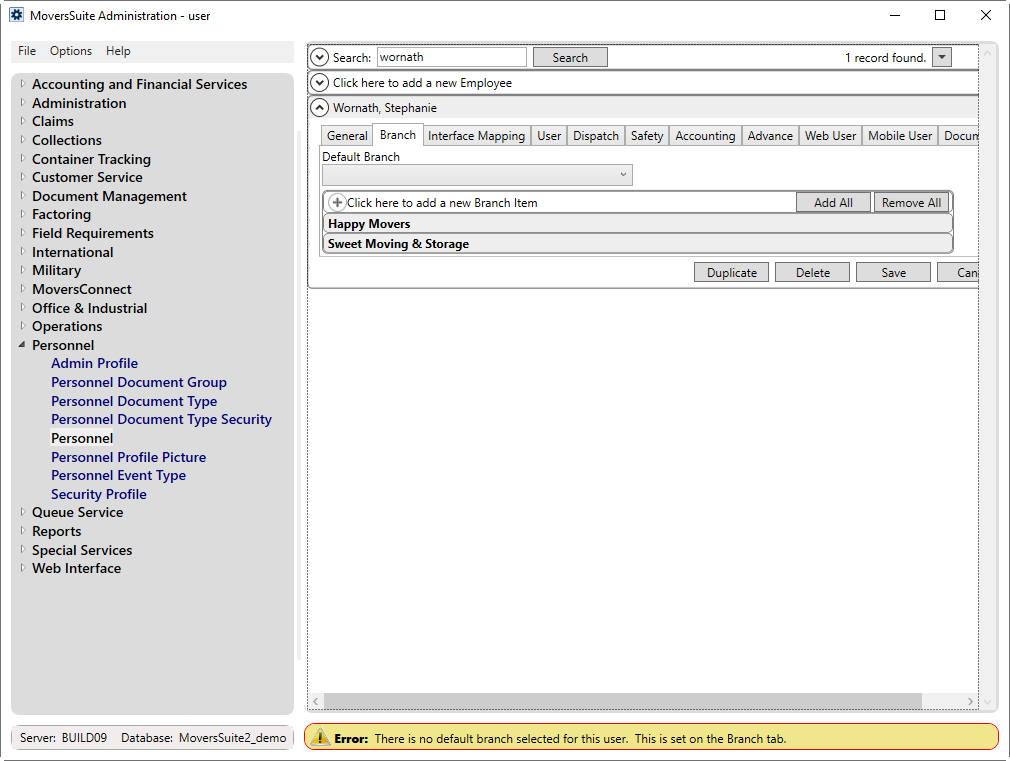
Figure 3: Personnel Setup
Note that if you save a record with a single branch on a Personnel Setup record, the application automatically saves that single entry as the Default Branch.
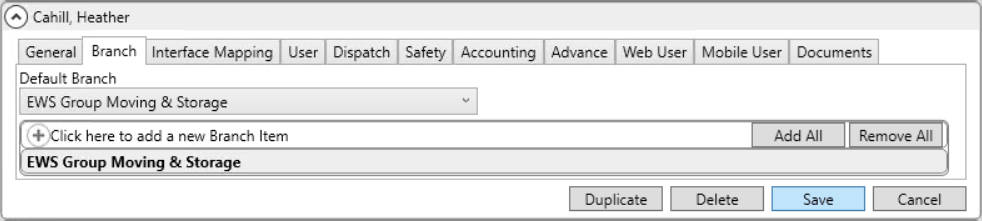
Figure 4: Personnel Setup
While choosing multiple branches either manually or through the Add All button and for saving the record without any default branch specified by removing them through the Remove All button, an error message will appear.
Refer to the Personnel Setup topic for more information.
|
SUMMARY (5188) |
|
Default branch mandatory for all personnel records. |
|
The following areas have been affected by this change:
|