

Watch the Overview Video for this release
This section lists the features added to MoversSuite.
|
|
Watch the Overview Video for this release |
New options available to Recurring Billing
Several updates have been made to Recurring Billing section to facilitate the Recurring Billing and Storage process. Specifically, these updates are designed to allow you control when invoices are sent out or not via email or print.
Billing Record Updates
The Billing Record tab of the Recurring Billing section has been updated to rename the “Produce Invoice” checkbox to “Print Invoice” and to include a new option of “Email Invoice.”
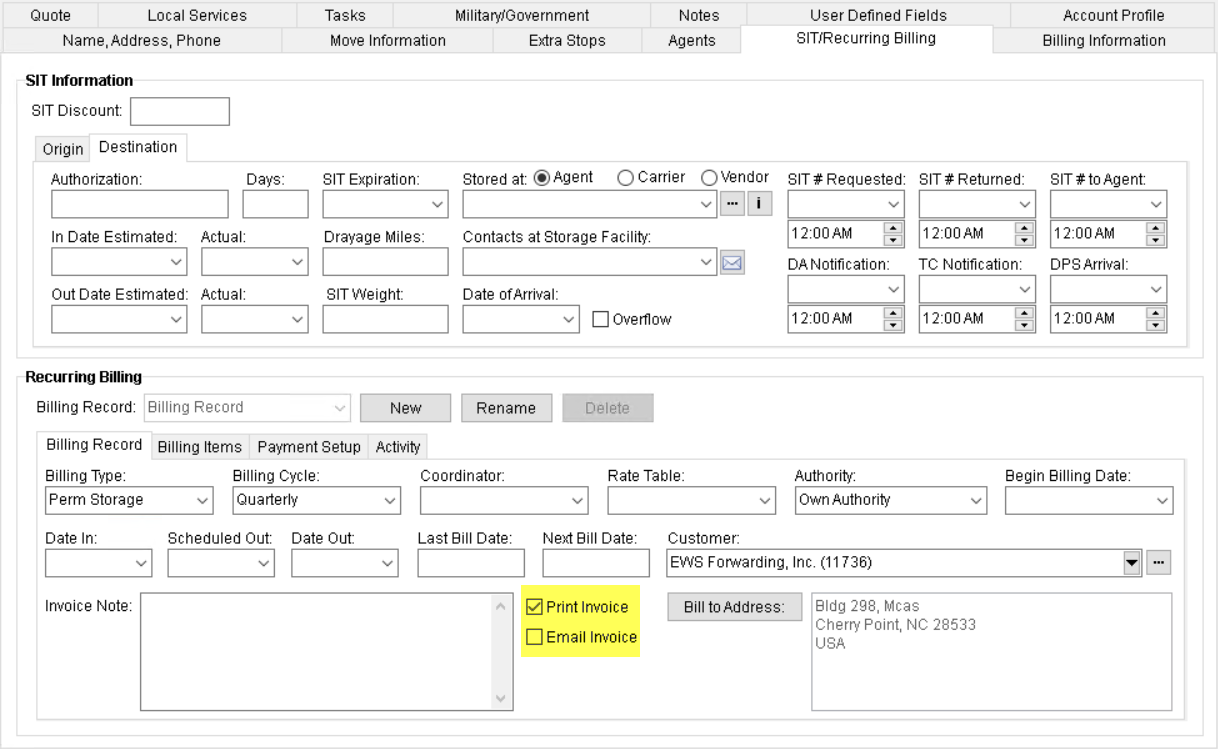
Figure 1: Recurring Billing
These two options are summarized as follows:

The Print Invoice option allows you to control whether to flag the invoice to print automatically or not during a storage billing run. When checked, the invoice created during the billing run will be flagged to print in the Report Viewer. The application checks this flag by default when you create a new Billing Record except for SIT Billing Type.

The Email Invoice option, when checked, instructs the application to automatically email invoices on a billing run. When this option is checked, the email address must be set for the records within the Payment Setup tab. This option is unchecked by default when adding new billing records.
With either option, if you leave it unchecked, you can still manually process the request through the Report Viewer. For example, if you uncheck Print Invoice, the option to manually print the invoice continues to be available through the viewer.
Payment Setup Updates
The AutoPay Setup (Recurring Billing) section of the Payment Setup tab has been updated to have a new checkbox named “Email AutoPay Receipt.”
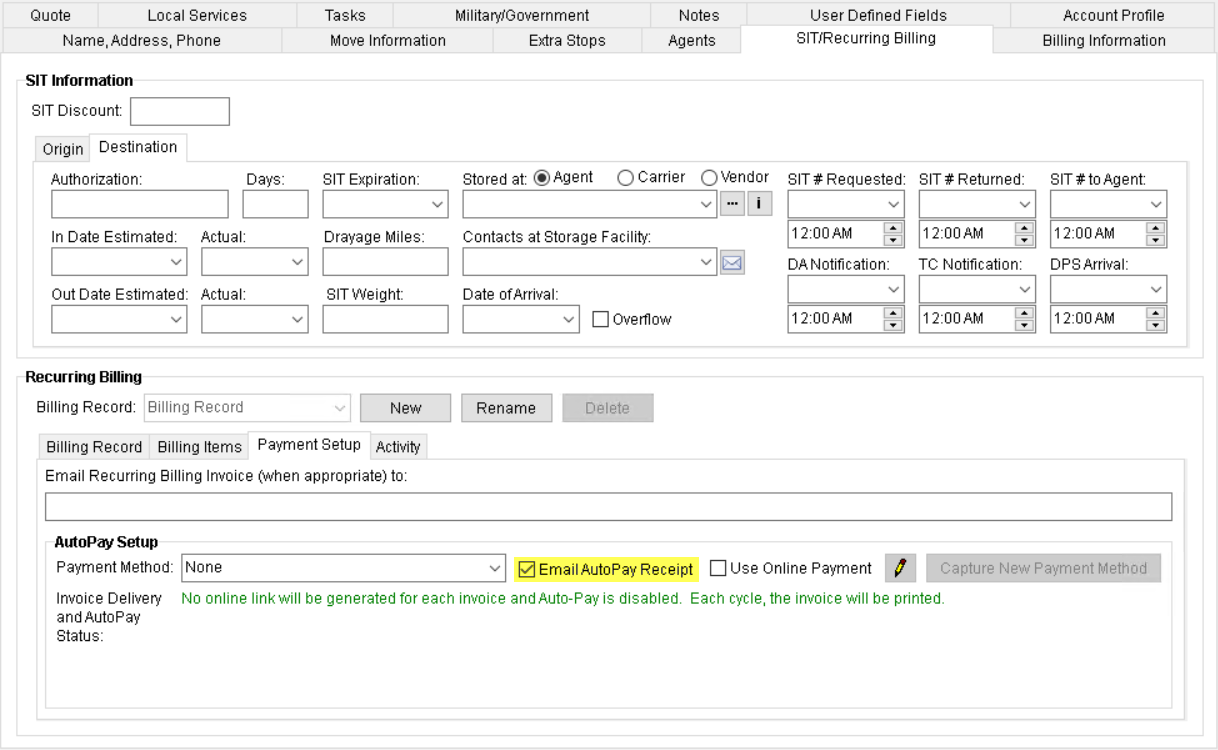
Figure 2: Recurring Billing
This new option is summarized as follows:

If the Email AutoPay Receipt option is checked, an email having a copy of the cash receipt is sent to the email address specified within Payment Setup upon a successful auto payment. When this option is checked, the email address must be set for the records within the Payment Setup tab. This flag is checked by default on all new records. If auto payment is not setup and this flag is checked, no cash receipt email is generated. Users who consider their Credit Card/Bank Statement enough for information may consider leaving this option unchecked.
Upon upgrading to this version of MoversSuite, the upgrade process will set each of these options based on the following criteria:
•Print Invoice is checked if there is no email address specified and either the record is not flagged as SIT or the record is SIT and the existing “Produce Invoice” flag is checked.
•Email Invoice is checked if there is one or more email address(es) associated to the record and the record is either not flagged as SIT or the record is SIT and the existing “Produce Invoice” flag is checked.
•Email AutoPay Receipt is checked for all billing records.
New icons and hover text within the Report Viewer are also included with this release. The new icons display for each individual record to indicate what was selected for the Print Invoice and Email Invoice options.
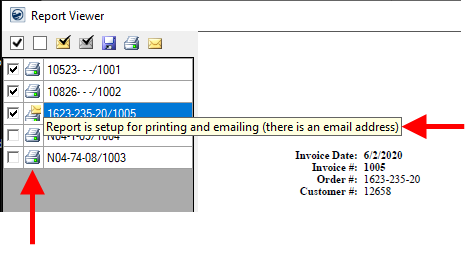
Figure 3: Report Viewer highlighting new icon column and hover text
The new icons are described in the following table.
|
Icon |
Description (Hover Text) |
|
|
Report is setup for printing only (there is no email address) |
|
|
Report is setup for emailing only (there is an email address) |
|
|
Report is setup for printing and emailing (there is an email address) |
Lastly, display issues involving the Use Online Payment option within the AutoPay Setup (Recurring Billing) have been corrected with this release.
Refer to the following topics for more information on these new and updated options:
AutoPay Setup (Recurring Billing)
|
SUMMARY (MOV-5869) |
|
Recurring Billing updated for smoother automatic payments. |
|
The following areas have been affected by this change: AutoPay Setup (Recurring Billing) Schema Changes Version 2020R12
|


