

Watch the Overview Video for this release
This section lists the features added to MoversSuite.
|
|
Watch the Overview Video for this release |
MSCrew Application Improvements
MoversSuite has been updated to support some additional features which will be fully available with an upcoming release of the MoversSuiteCrew Mobile Application. The changes specific to MoversSuite are detailed in the following sections.
MSCrew Application Changes
The MSCrew application has been updated to allow a crew or crew lead to add comments along with time punches. If the comment is made by a crew lead to multiple crew, the comment will be repeated on each punch for each crew member while being stored in the database.
In the Manage Punches screen, the Latest Comment column shows the last comment that has been sent with a punch. However, if you open the Punch Details screen for a punch, all the comments show up.
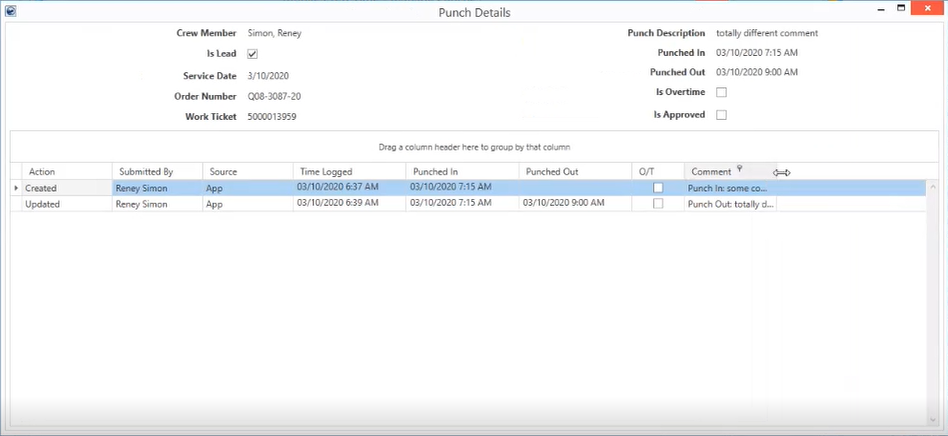
Figure 1: Punch Details
MoversConnect Changes
Three new flags have been added to the Mobile Api Setup screen:
•Allow Crew Additions
•Is Crew Time Locked
•Is Crew Time For Crew Lead Locked
The “Allow Crew Additions” flag when checked, gives you the ability to add crew members through MSCrew.
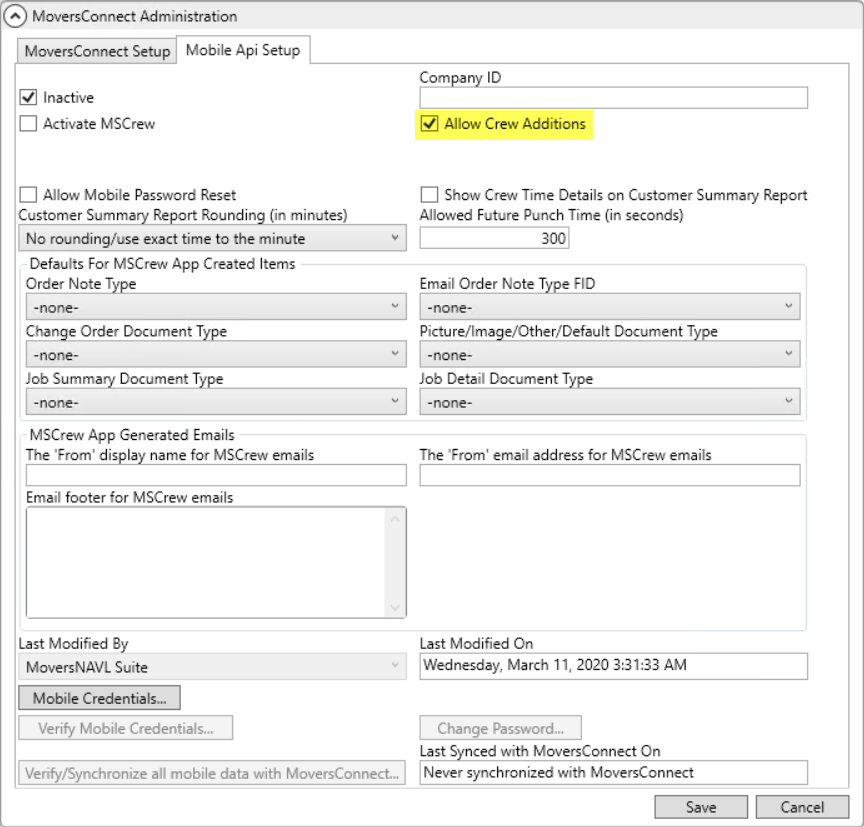
Figure 2: Mobile Api Setup
Use the Add button on the top-right corner of your MSCrew application and you can add as much crew as you want.
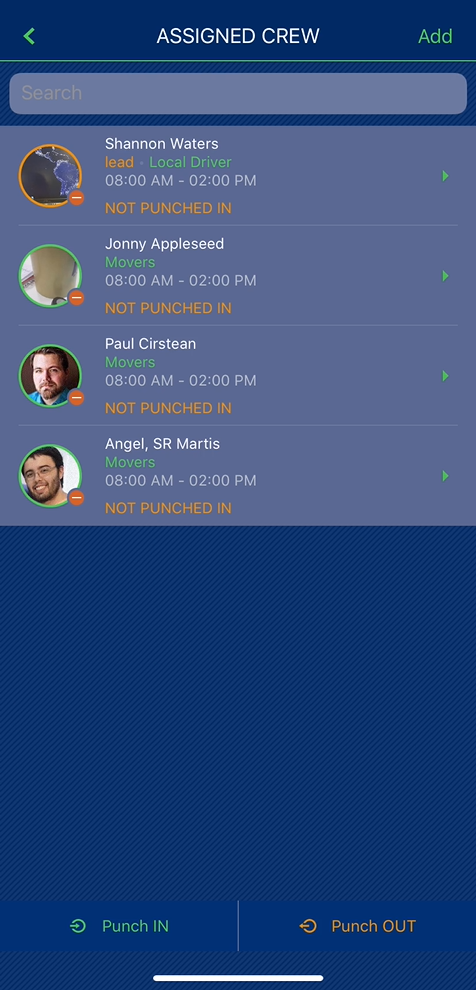
Figure 3: MSCrew - Assigned Crew screen
The “Is Crew Time Locked” flag when checked, prevents crew members from altering punch time while punching in or out.
Note: The flag is only enabled if the “Activate Crew Time” flag is checked.
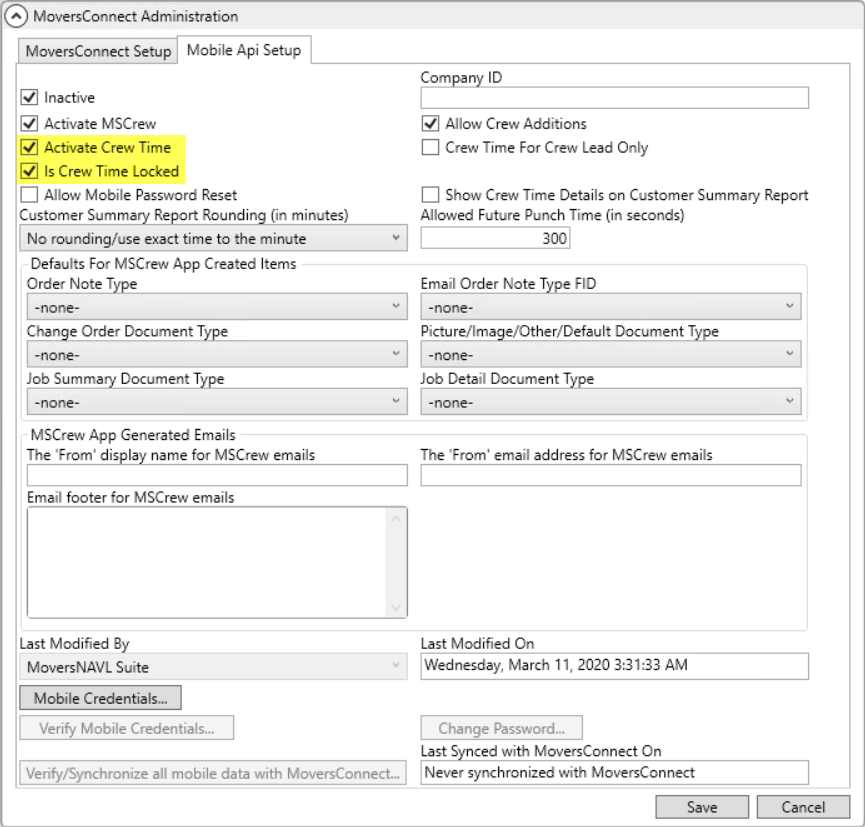
Figure 4: Mobile Api Setup
The “Is Crew Time For Crew Lead Locked” flag when checked, prevents a crew lead from altering punch times when punching in or out for the team.
Note: This option is only available when “Crew Time For Crew Lead Only” is checked.
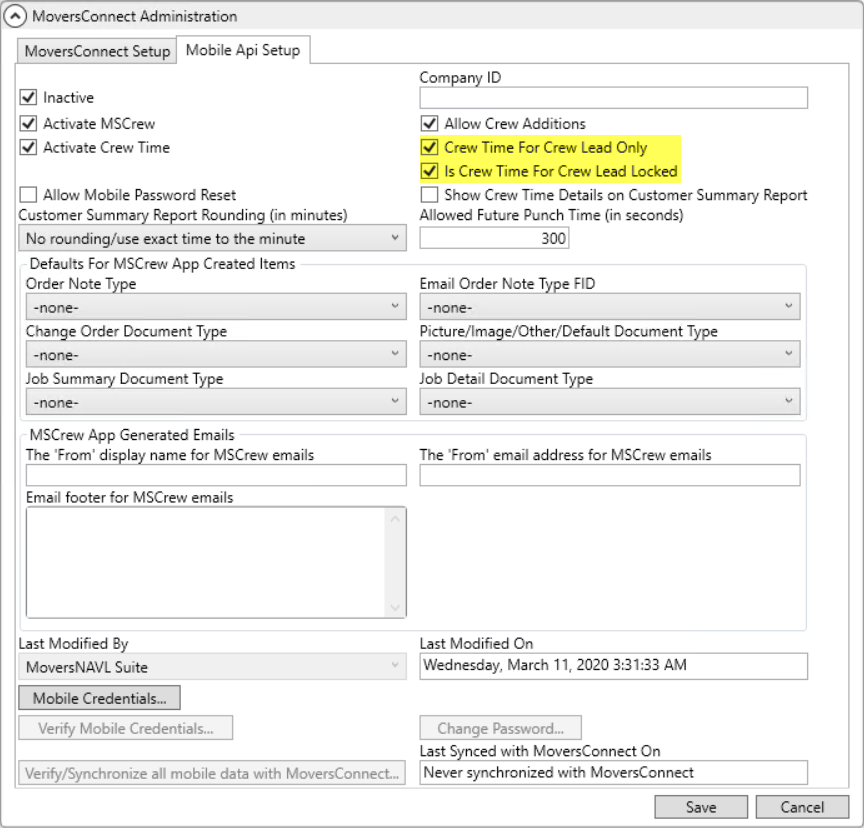
Figure 5: Mobile Api Setup
A new version of MSCrew that features these changes is scheduled to be released in the near future, so please check upcoming release notes and announcements for details.
|
SUMMARY (5740) |
|
Improvements made to MSCrew application. |
|
The following areas have been affected by this change: Schema Changes Version 2020R07
|