This section lists the features added to MoversSuite.
Placeholder Flag Added in Local Services
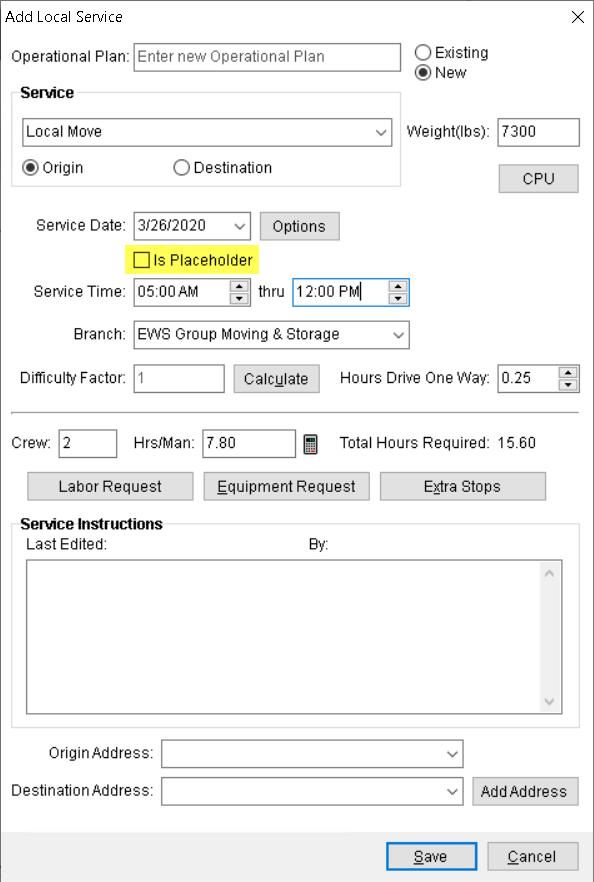
You can now set a placeholder flag in the Add Local Service screen to prevent dispatchers from generating a Work Ticket until all planning is approved. The placeholder was added to allow your company to accurate schedule and plan Local Services out, but not allow them to be finalized until approval for the services is secured.
A flag by the name of “Is Placeholder” has been added to the Add Local Service and Edit Local Service screens.
Figure 1: Add Local Service
With this flag checked, you are not allowed to generate a Work Ticket. Also, such services are not available to be assigned to the crew members through the MSCrew application. Once the services are approved, you can clear the flag by editing the service. Once cleared, the Work Ticket can be generated.
The following grids have been updated to display the Is Placeholder column:
Refer to the Add Local Service topic for more information.
|
SUMMARY (5670, 5787) |
|
“Is Placeholder” flag added in Local Services. |
|
The following areas have been affected by this change: Schema Changes Version 2020R06
|
MoversSuite Administration: Advance User Account Details Labels Updated
The Add Advance User Account screen in MoversSuite Administration has been updated to dynamically change depending on which service provider type is selected.
When you select an Advance Banking Service Provider Type of “Comdata,” the application now prompts you for the following fields:
•Driver’s Card Number
•Account ID
•Security Code
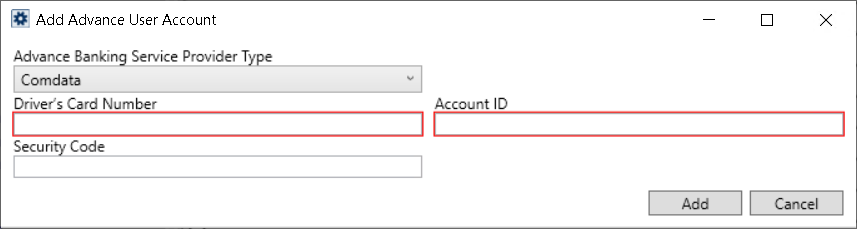
Figure 2: Add Advance User Account - Comdata
When you select an Advance Banking Service Provider Type of “T-Chek,” the application now prompts you for the following fields:
•Account Number
•Account ID
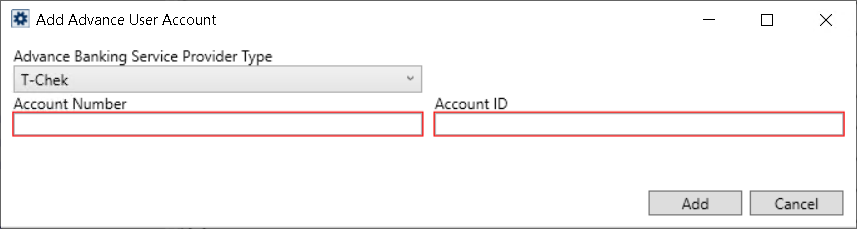
Figure 3: Add Advance User Account - T-Chek
In addition to the label changes, the error messages that display at the bottom of the Queue Service Server Setup screen, have also been updated to display the error in correct format.
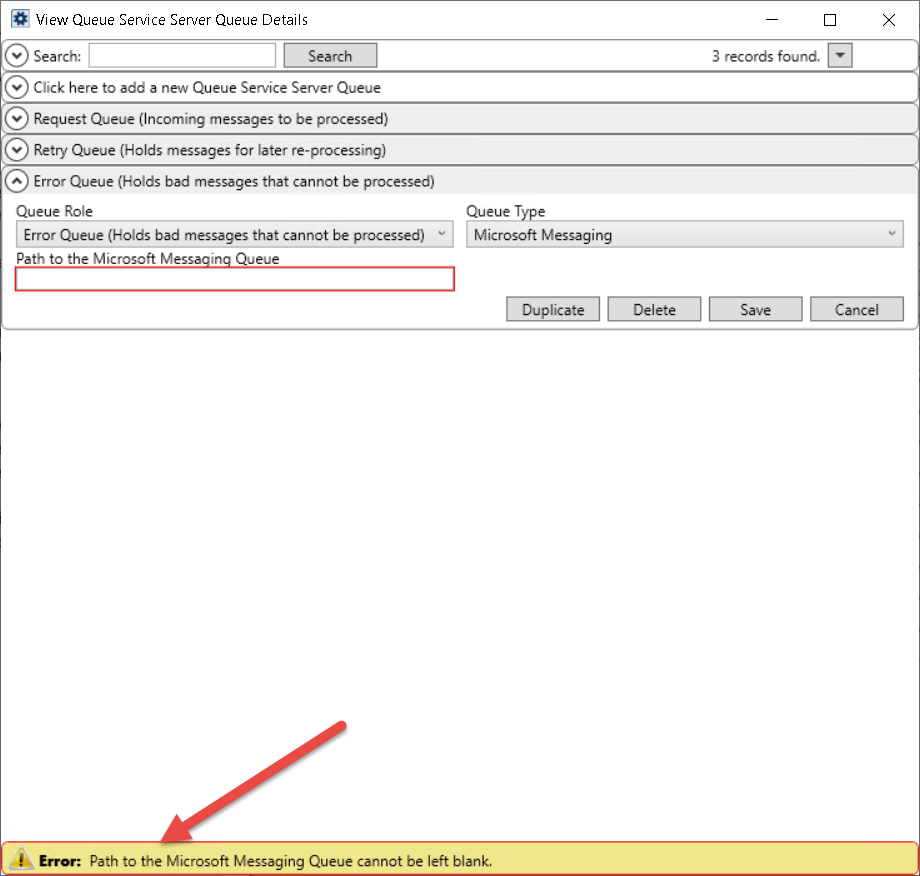
Figure 4: Queue Service Server Setup
|
SUMMARY (5655) |
|
Add Advance User Account details screen updated for Comdata customers. |
|
The following areas have been affected by this change:
|