This section lists any fixes made to the MoversSuite application.
Administration
Updated help text for Recurring Cash Receipts system email
The usage note associated to the System Email Setup option for Recurring Cash Receipts has been updated to eliminate any confusion. (5380)
Task Module Changes Restricted
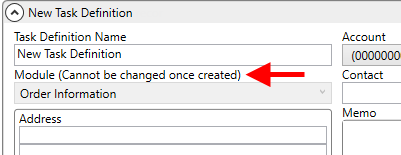
Tasks Setup (listed within the Customer Service category) has been updated to restrict the behavior of the order Module. Once you create a Task Definition record, you are no longer allowed to change the Module in Tasks Setup. This was done to avoid unexpected errors like duplication of the entire Task List on certain orders.
The Module field label was updated to include “(Cannot be changed once created).”
Figure 3: Tasks Setup
Related to this change is that Task Group is now record in Order History. Refer to Order History Fields for a listing. (5043)
Account Profiles
Autofill Preset Address working without error
The Autofill Preset Address option in the Name, Address, Phone tab, is now working smoothly without returning any errors. Previously, some reported that data did not auto-populate or saw an error screen upon clicking the Autofill Preset Address button if any of the Location Type was pre-chosen on the order. (5330)
Atlas Integration
Orders save correctly after download
Orders that existed prior to changes made at 2018 R23 can now be updated without error. (5381)
Comdata Integration
Generate Comdata transactions without Vendor Number error
You can generate accounting transactions for Comdata transactions through the screen without receiving a “Vendor Number of could not be found in Dynamics GP” error message. This error was caused by the application incorrectly checking for non-Comdata vendor information. (5386)
Local Dispatch
Dispatch grid scrollbar is no longer hidden
In the Local Dispatch module, the data grid scroller was invisible in some cases such as while maximizing and minimizing the grid. The problem has been fixed and the scroll bar is now displayed correctly in all cases. (5362)
Text Messaging
Conversation pane sorting update
Conversations that display on the left pane of the Text Messaging Conversations screen now sort with the conversations with the most recent activity appearing at the top of the listing. (5358)
TransDocs Integration
TransDocs Document upload error message updated
While uploading a document through the TransDocs Integration, if the TransDocsUploadQueue XMLSystemOption is not defined, a more specific error is returned. (5372)
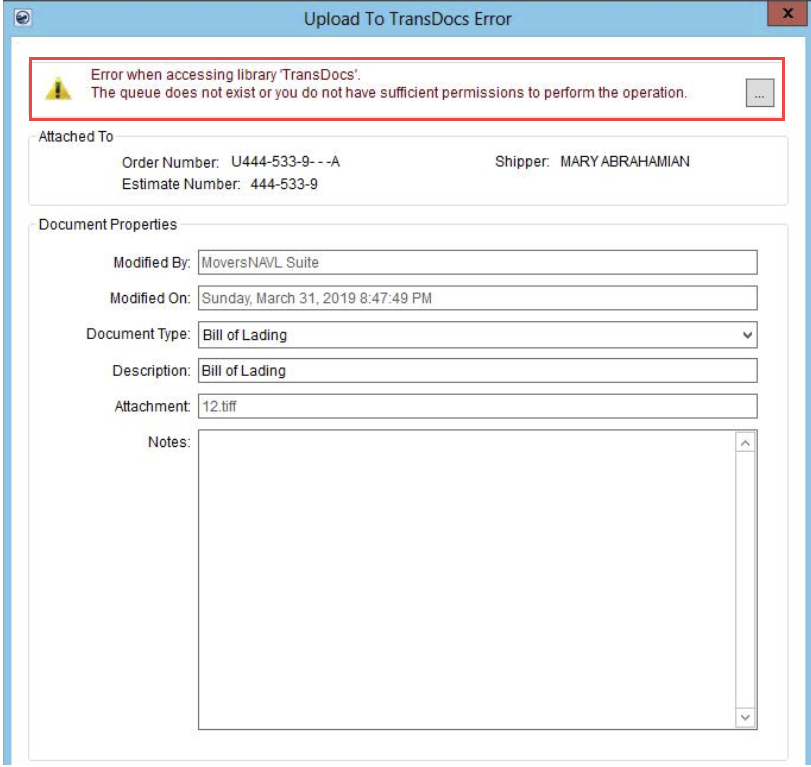
Figure 4: Upload to TransDocs Error screen
UniGroup Integration
Improved handling of Product Details
Sequence numbers are now assigned to Product Details. This allows MoversSuite to sync with UniGroup to determine which records belong. Prior to sequencing, updates sent down from UniGroup had the potential of removing existing Product Details.
NOTE: Duplicate Product Detail records may exist after this fix, since records before this change do not include the sequencing information.
Product Details are set on an order through Shipment Information. This change affects equipment exchanged through the UniGroup Integration. (5374)