

Watch the Overview Video for this release
This section lists the improvements made to MoversSuite.
|
|
Watch the Overview Video for this release |
Factoring Processed for each Branch
Factoring has been updated to process records and generate output for each branch. To facilitate branch processing, a new Branch selector is available through the Factoring screen. You must now select the branch you wish to process prior to running the Query.
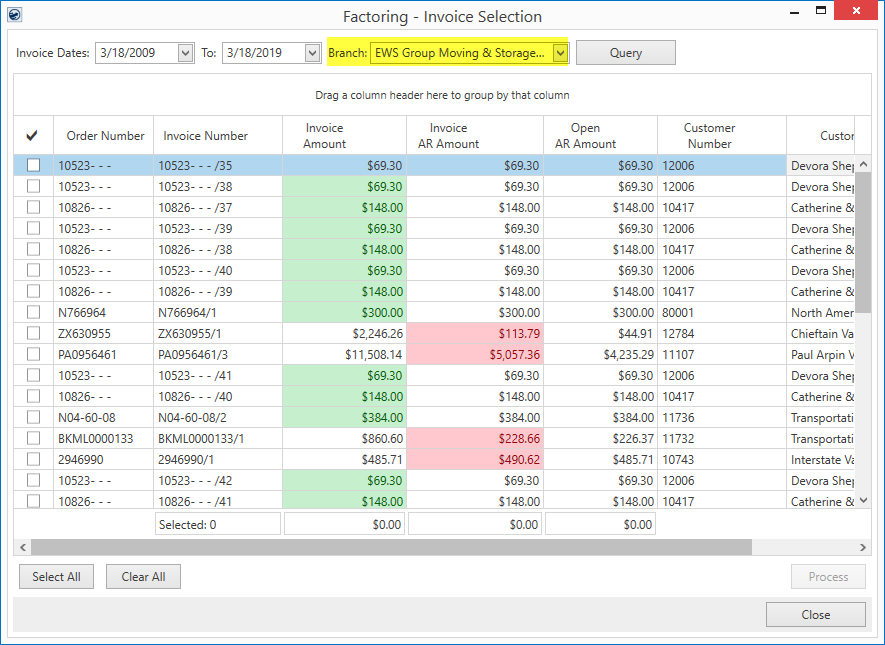
Figure 10: Factoring screen
NOTE: The branch processed is the branch of the order associated to the invoice and not necessarily the branch associated to transactions included on an invoice. This is to ensure that there is only one branch per processed invoice.
The output of a processed batch includes an updated CSV file with and a separate PDF file containing all associated invoices.
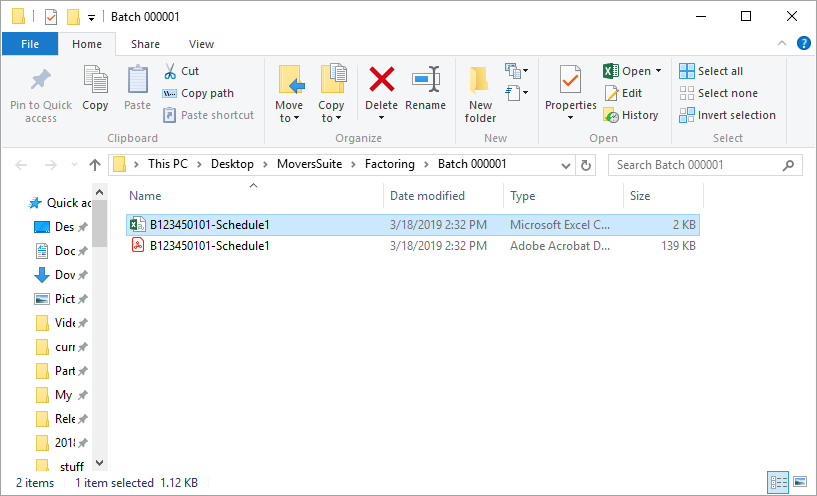
Figure 11: Sample batch output folder
The name of the CSV and PDF files created through Factoring now have the following format:
“B” + Client Code + Client Trade Style + “- Schedule” + Schedule Code
Where:
|
“B” |
File prefix containing the letter “B”. |
|
Client Code |
The Client Code set for the branch through Factoring Branch Setup. |
|
Client Trade Style |
The Client Trade Style number set for the branch through Factoring Branch Setup. |
|
“ – Schedule” |
A hard-coded space, dash, space and the word “Schedule”. |
|
Schedule Code |
The incremental count of the branch being processed. This counter increments automatically each time the branch is processed. For example, the first time the batch is run, the code is “1”. The 52nd time the batch is run, the code is “52”. |
Example:
If a branch contains Client Code of “1234501” and a Client Trade Style of one “01”, then the output files of the processed batch would be named B123450101 – Schedule1 for the first batch ran. For 52nd time this branch is processed, the name of the file would be B123450101 – Schedule52.
NOTE: Prior to this release, the batch file was named for the sequential batch generated, e.g. “Batch 000052”, and each invoice was included individually in the associated batch folder as well.
Once the batch is processed, invoices show as factored within the Collections grids. A new Factored column displays and is checked when the item is associated to factored invoice. The Factored column is available through the AR Collections Inquiry screen and through the AR Detail grid within AR Credit & Collections.
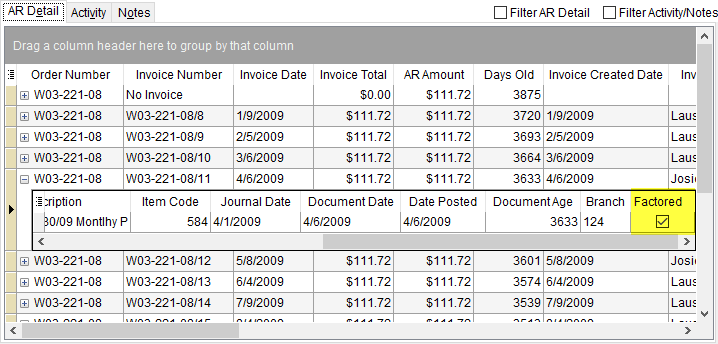
Figure 12: AR Detail screen within AR Credit & Collections
Refer to the Factoring topic for more information.
|
SUMMARY (5317, 5365) |
|
Branch processing added to Factoring. |
|
The following areas have been affected by this change: Schema Changes Version 2019R07
|