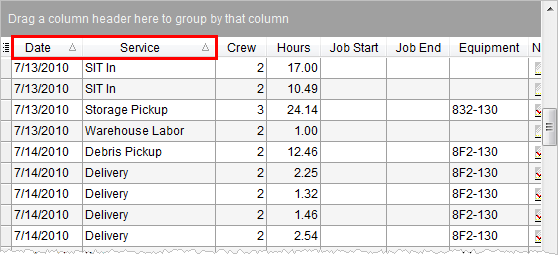
Data grids provide sorting by allowing the user to click on one or more column headings to enable the sort.
Figure 13: Sorting in Dispatch Center
Clicking on a data column will cause the application to sort
in ascending ( ) or descending order (
 ).
Press and hold the SHIFT key to effect sorting on more than one data
column. To clear all sorting, press the CTRL key.
).
Press and hold the SHIFT key to effect sorting on more than one data
column. To clear all sorting, press the CTRL key.
Most data grid default a sort based on one or more key data elements. For example, the crew assignment grid in Dispatch Center contains a default sort on crew Last Name then First Name.
When Grouping is in effect, data in the grid automatically sorts by the grouped data columns.