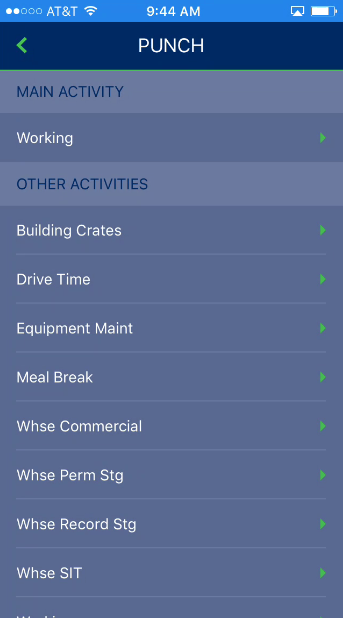
Access to this screen is through the Punch option available from the Info, Contacts, Notes, and Documents screens. It is also available for leads through the Jobs > Assigned Crew screen. Use this screen to log into an activity to record time under.
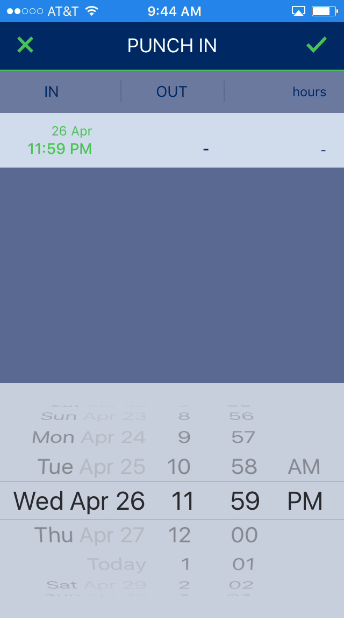
Once you choose an activity, a date scroller appears prompting for you to enter the date and time of the punch. One a selection is made, press the green confirmation arrow to accept the punch or press the green X to back out of the punch.