To
access the Custom Menu Setup options, go to the top left corner of the screen
and click the horizontal lines icon  . Then click My Reports to open
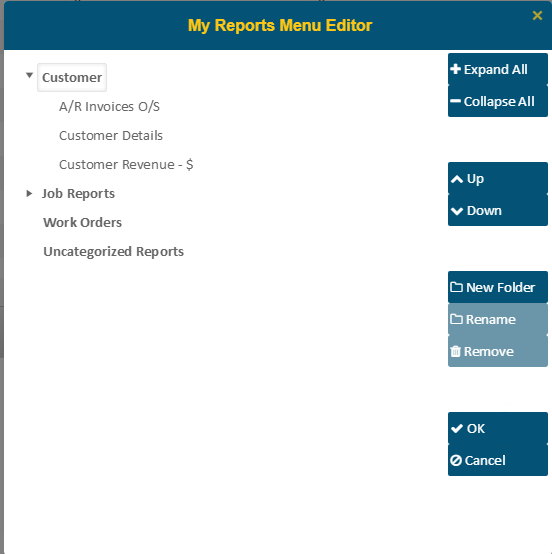
the ‘My Reports Menu Editor’. The Menu editor allows you to create, re-name,
remove, and re-arrange folders. Reports that have not been designated as Public
will be listed under the folder names that you have saved them in.
. Then click My Reports to open
the ‘My Reports Menu Editor’. The Menu editor allows you to create, re-name,
remove, and re-arrange folders. Reports that have not been designated as Public
will be listed under the folder names that you have saved them in.
NOTE:
Users with View access will be permitted to open the Public Reports
Menu Editor but will not have the ability to make changes.
Expand/Collapse
All
These
buttons are used to collapse or expand all folders at once.
Up/Down
Click
on (select) a folder, then use the Up and Down buttons to move
selected reports or folders up or down in the viewable list.
Other
Options
You
can also create a New Folder and/or Remove or Rename them
at any time. Hitting OK will accept your changes or you can press
Cancel to exit without saving the change.
NOTE:
Folders containing reports cannot be removed until they are empty.