 button
adjacent to the selector and through the
button
adjacent to the selector and through the  when searching for orders by Order Number.
Advanced Finds are available in MoversSuite allowing you to
locate records using advanced filtering options and search criteria within a
separate window. Access to the Advanced Finds is through the button
adjacent to the selector and through the when searching for orders by Order Number.
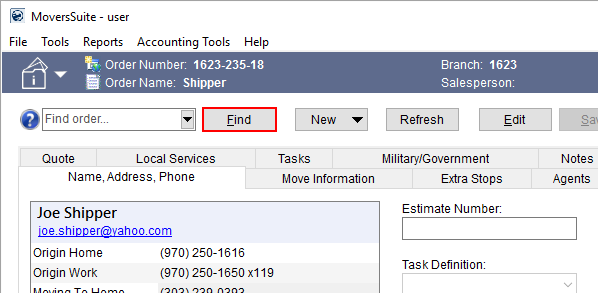
Figure 19: Advanced find associated to Order Number lookup within the Name, Address, Phone tab
The button is available throughout the
application such as adjacent to the Customer selector within the Billing Information tab.
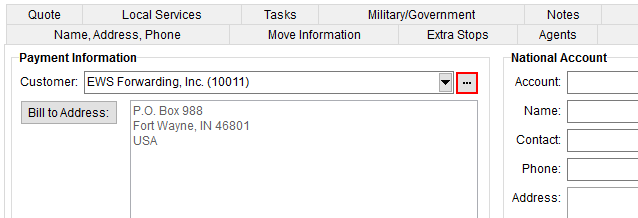
Figure 20: Billing Information tab
Pressing the button opens the advanced find
associated to the selector. For example, pressing the button
for the Customer setting opens the Customer Find allowing you to use several
additional fields to locate the record you want.
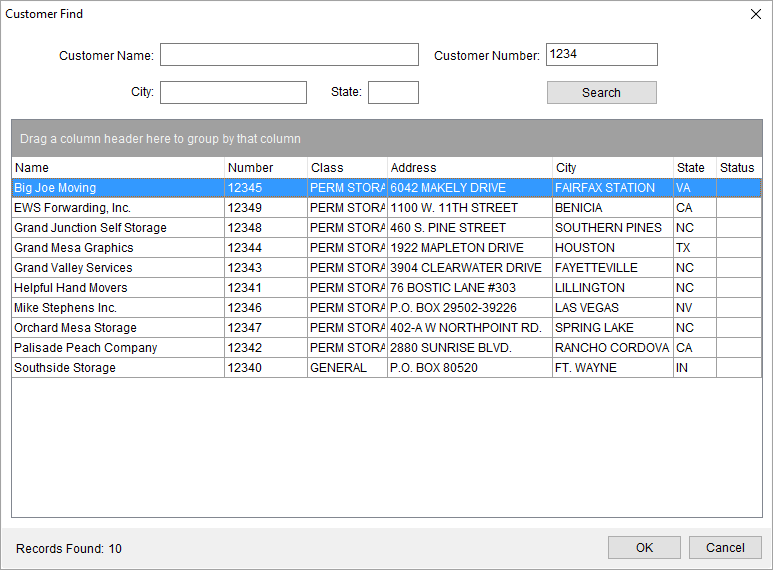
Figure 21: Customer Find dialog
In many of the Advanced Finds, simply typing in a value in one of the fields automatically filters the search results in the data grid.
Once you find the record you want, highlight it in the grid
and press  . The application sets the selected record for
which ever setting you are on, i.e. sets the customer for the Customer
selector.
. The application sets the selected record for
which ever setting you are on, i.e. sets the customer for the Customer
selector.
View the Data Grids topic for information on using grid functions.
The following Advanced Finds are available within MoversSuite:
RELATED TOPICS: