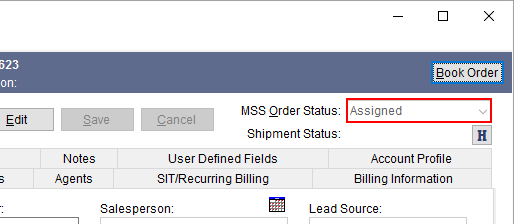
The MSS Order Status allows you to monitor and set the status of an order. Available from the Order-Level Functions, you can edit the order and change the status value to reflect the state of the order. Additionally, this value may be updated by an external application through a download or indirectly when the Shipment Status changes (see Set Shipment Status).
Figure 3: Order Information
Values available to the MSS Order Status setting are defined within Order Status Setup. Flags associated to the setup record include the ability to clear all move dates when the status changes and prompt for a reason that an order was cancelled.
If the Clear Move Dates flag is set on the status value you are setting, then all the dates set within the Move Information tab are cleared. Additionally, all Tasks items for the order are regenerated as well, unless the Is Cancelled Order flag is also set, in which case, all tasks are removed for the order.
If the Is Cancelled Order flag is set on the status value you are setting, then you are prompted to select a reason for the cancellation when you save the record. The prompt appears through the Cancel Order Reason dialog.
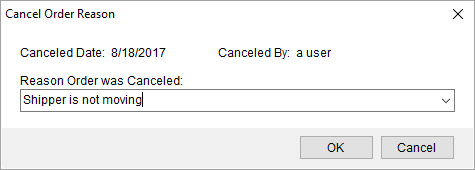
Figure 4: Cancel Order Reason
The list of reasons is defined within the Order Cancellation Reason Setup and the reason is documented within the Order History under a field type of Order Cancelled Reason.
When the Is Cancelled Order flag, the application also clears all Tasks items associated to the order.
RELATED TOPICS:
UniGroup International Data Mapping Setup