Navigation Menu > Reports
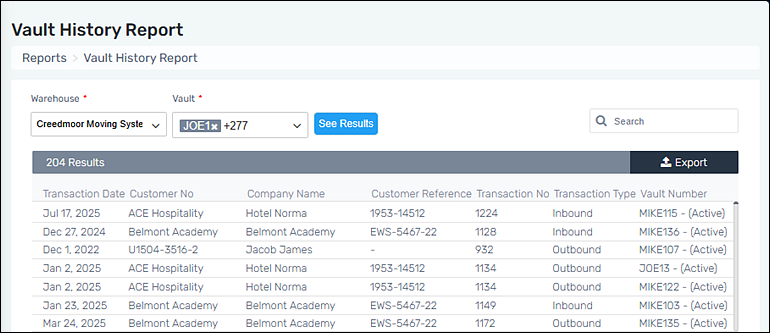
This report enables the ability to view all historical activity by vault.
Create “Vault History Report” to view all historical activity by vault by following these steps:
1. Go to Navigation Menu > Reports > Vault History Report.
2. Select a warehouse.
3. Select either “Select All” or choose one or more vaults for the report.
4. Click “See Results” to generate the report.
5. Further filter the report using the Search function.
Figure 7: Vault History Report
For a master list of all reports, go to Reports.