Navigation Menu > Reports
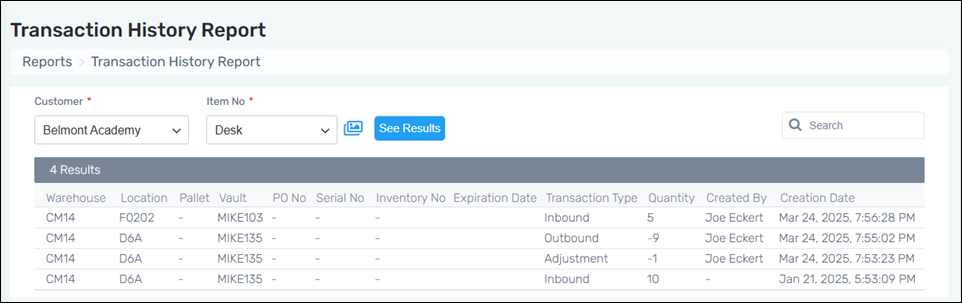
This report enables the ability to view the Inbound Transactions, Outbound Transactions, Move Quantity, Move Locations, and the Adjustments history of an Item Number. Locations are also noted within the report as it is important to know from where the item was moved or placed. The user who completed the transaction or made adjustments is noted under Created By, as well.
Create Transaction History Report using the following these steps:
1. Go to Navigation Menu > Reports > Transaction History Report.
2. Choose a Customer and an Item Number.
3. Click “See Results” to generate the report.
4. Further filter the report using the Search function.
Figure 8: Transaction History Report
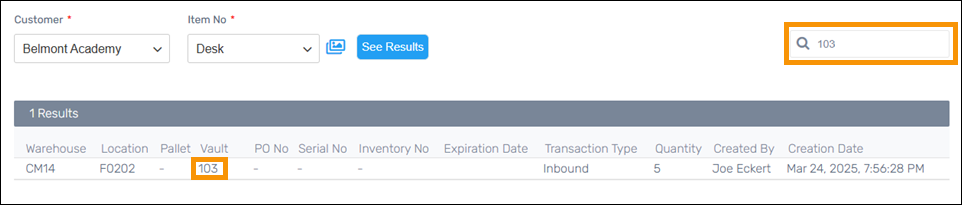
Further refine the results by using the Search. In the example below, a Vault Number was entered into the search and the resulting list makes it easier to examine the details of that Item Number in that Vault.
For a master list of all reports, go to Reports.