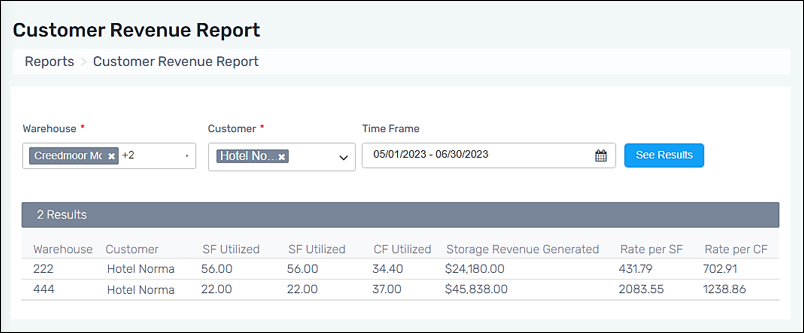
The Customer Revenue Report will display revenue per square foot (SF) or cubic foot (CF) for according to Warehouse, Customer, and Time Frame filter settings. This report can help evaluate whether storage revenue meets company standards and, if necessary, consider price adjustments to maintain profitability.
When moving items, either through Move Location or Move Quantity, the move transactions reflect in the Customer Revenue Report once the invoice is generated.
As an example:
1. Invoices were generated in March 2025. At the time of that invoice, Location AA has Item No. 1 in these quantities: Sq/Ft = 10 and Cu/Ft = 100.
2. On April 1, 2025, all of Item No. 1 is moved from Location AA to Location BB. Location BB now has Sq/Ft = 20 and Cu/Ft = 200 for Item No. 1.
3. Invoices are generated on April 15, 2025.
•If a Customer Revenue Report was run on April 16th, the move would reflect the new Sq/Ft and Cu/Ft quantities.
•If a Customer Revenue Report was run on April 2nd, the move would not reflect the new Sq/Ft and Cu/Ft quantities.
4. The quantities would reflect the same as the March invoice.
Further, the Item No. quantities will reflect the current value for all months preceding the month of the move. If the example above, running a Customer Revenue Report for March 2025 will show Item No. 1 in Location BB with Sq/Ft = 20 and Cu/Ft = 200.
To use:
1. From Reports, choose Customer Revenue Report:
2. Enter Warehouse
3. Enter Customer(s) or choose Select All.
4. Enter a Time Frame by choosing a beginning date and an end date.
5. Click See Results.